


FAQ:
Q1: My router’s Internet speed is slow. How can I improve it?
A1: Buyers can log in to the WEB UI page and adjust the network mode of the router, which is recommended to be set to “4G Only”. If indoors, buyers are advised to place the router in a position suitable for receiving signals.
Q2: Can this router work in my country?
A2: The router does not support the Spain Digi SIM Card. The other SIM Card refers to. If you are not sure whether it can work in your country, you can consult the seller or research it here before you place the order. Check the SIM card at www.frequencycheck.com.
Q3: Can not recognize the SIM card?
A3: You can insert the SIM card into the router for one minute first, then turn on the power. And then log in the web ui page to check thSIMim card. If still not recognized the SIM card, please install another SIM card from another SIM card operator.
Q4: The device can not connect to the Internet normally?
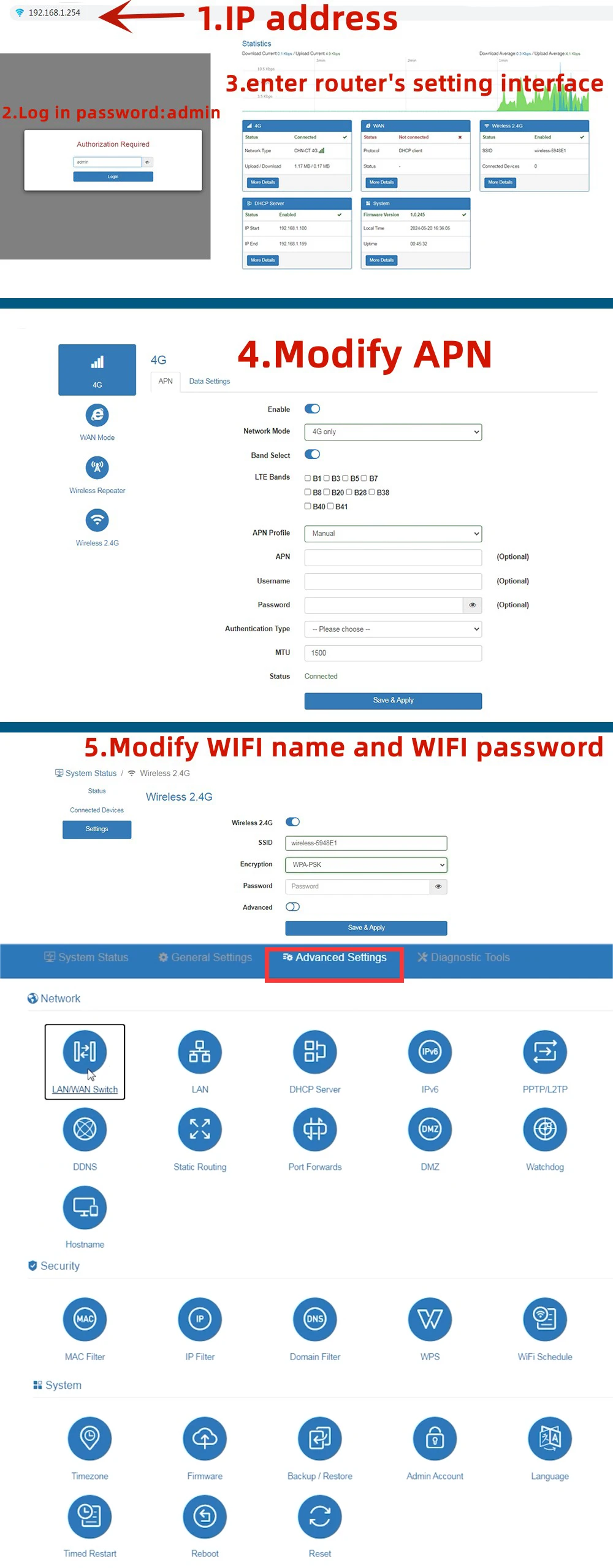
A4: You need to disable the PIN code and modify the APN. Please log in web ui to fill in the correct APN. About APN, you can call your SIM card operator to check.APN setting refer web, www.apn.how
Q5: Does this router support IMEI modification?
This router provides access to change the IMEI on the firmware page. The modification steps are as follows:
(1) Go to the page: //192.168.1.254/cgi-bin/luci/admin/network/gcom/atcmd
(2)Check the current IMEI, input command: AT+EGMR=0,7
(3) Set to factory module, input command: at*prod=1
(4)Modify IMEI, input command: AT+EGMR=1,7, “xxxxxxxxxxxxxxxxxx”
Note: “xxxxxxxxxxxxxxxxxx” is a new IMEI.
(5) Check the modified IMEI, input command: AT+EGMR=0,7

Frequency Band:
EU Version
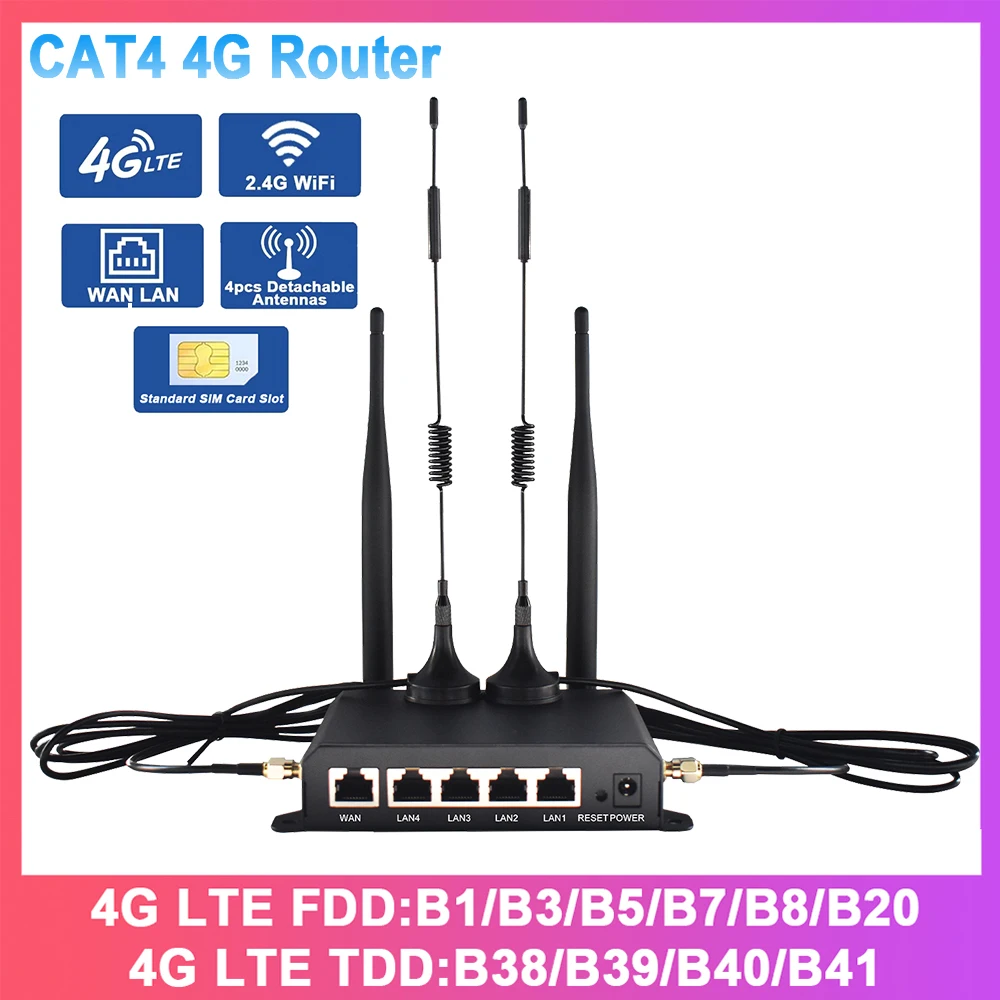
4G LTE FDD:B1/B3/B7/B8/B20(2100/1800/2600/900/800MHZ)
4G LTE FDD:B38/B39/B40/B41(2600/1900/2300/2500MHZ)
3G WCDMA:B1/B8(2100/900MHZ)
2G GSM:B3/B8(1800/900MHZ)
Applicable to Europe, Africa, Asia, all countries and regions, such as Russia, Israel, South Korea, Spain, Brazil, Ukraine, France, Italy, Netherlands, India, Nigeria, Switzerland, Kazakhstan, Poland, Ghana, etc.
Description:
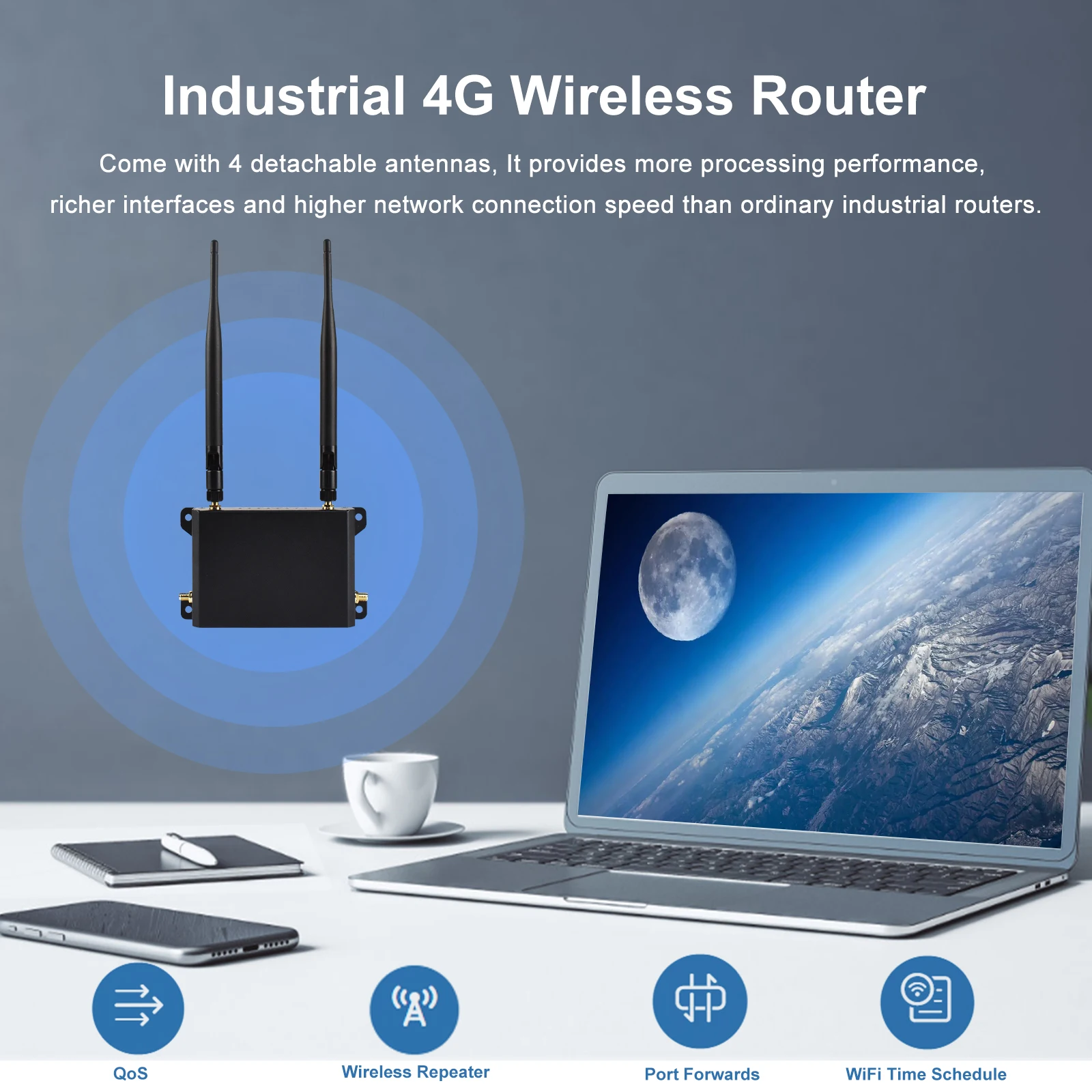
WR181 is an industrial 4G wireless router that integrates multiple functions with a metal housing.
It adopts the Mediatek MT7628 chipset, which complies with the IEEE 802.11b/g/n standard, and the Wi-Fi data rate is up to 300Mbps. With a built-in mini PCI-E slot for 3G/4G modem. It supports FDD-LTE/TDD-LTE worldwide full frequencies up to 150Mbps CA-4 4G LTE download speed. Come with 4 detachable antennas. It provides more processing performance, richer interfaces, and higher network connection speed than ordinary industrial routers. This product is suitable for different application types and scenarios, such as intelligent parking lots, intelligent transportation, smart electricity grids, supply chain automation, Intelligent data collection, intelligent buildings, vending machines, video surveillance, etc.
Features:
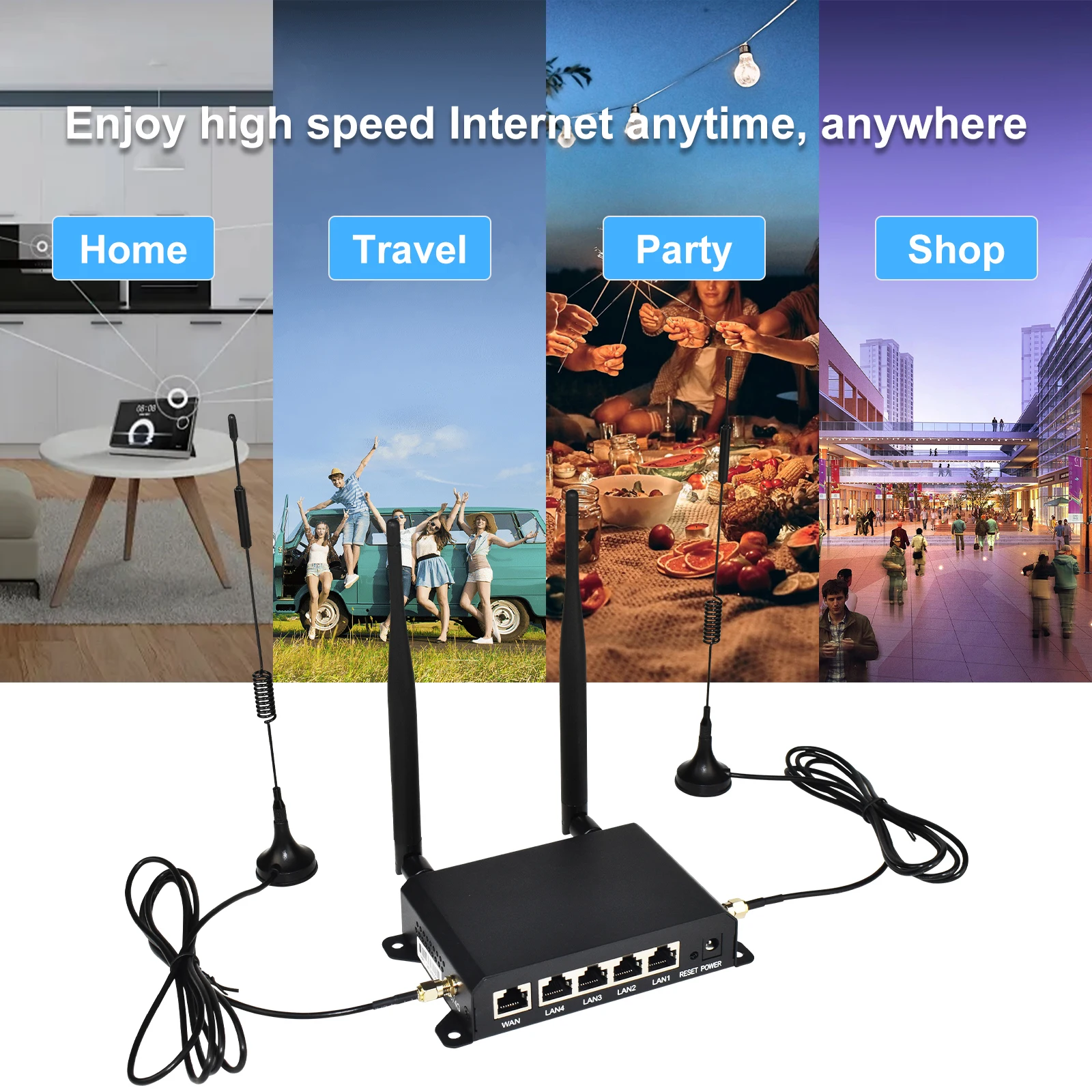
CAT4 150Mbps 4G LTE Router
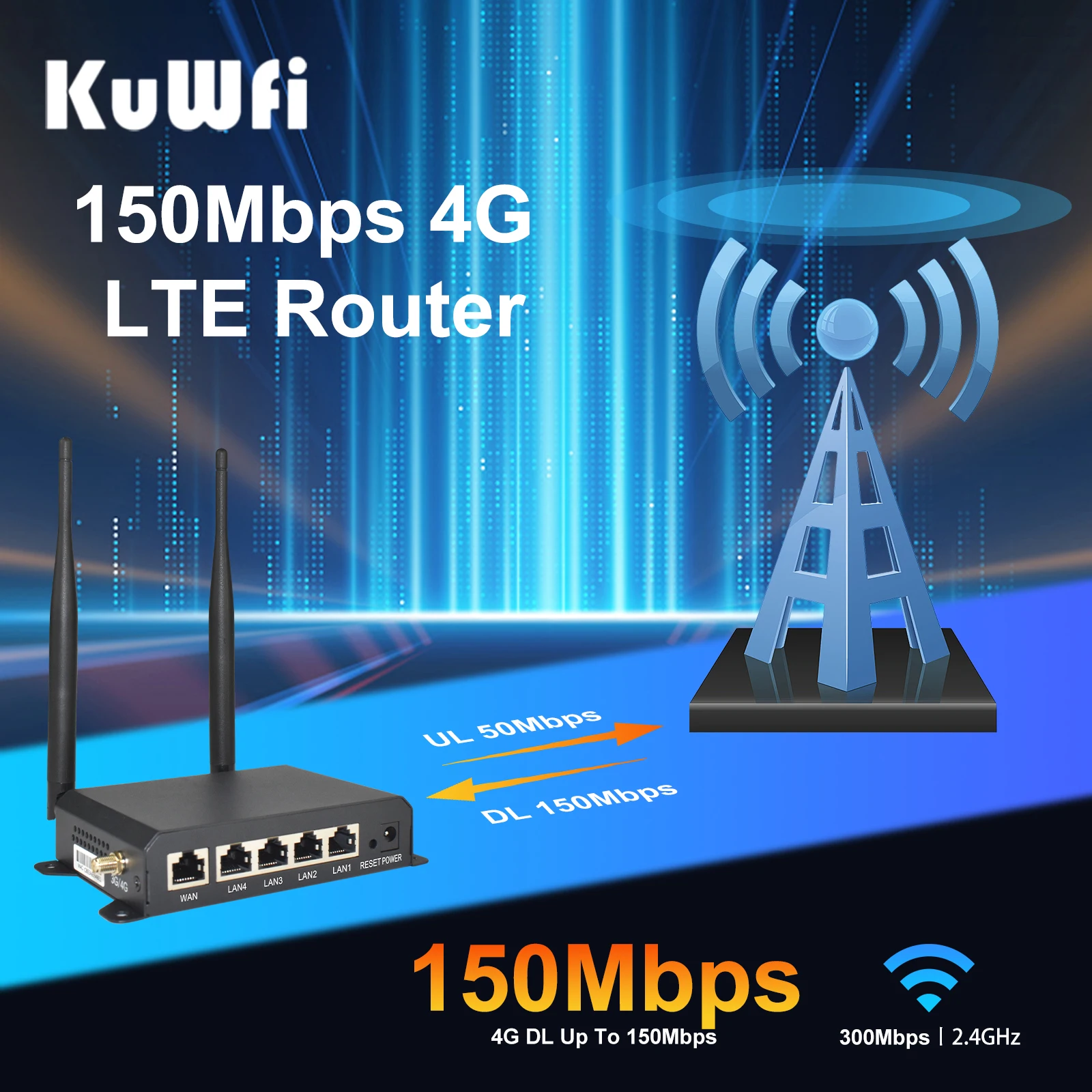
The 4G CPE Router provides you with a stable 4G network. Max download speed: 150mbps; max upload speed: 50Mbps. (Since carriers limit speeds, it’s normal for you to get less than 150Mbps.).The router is a high-performance, cost-effective 4 G modem router.
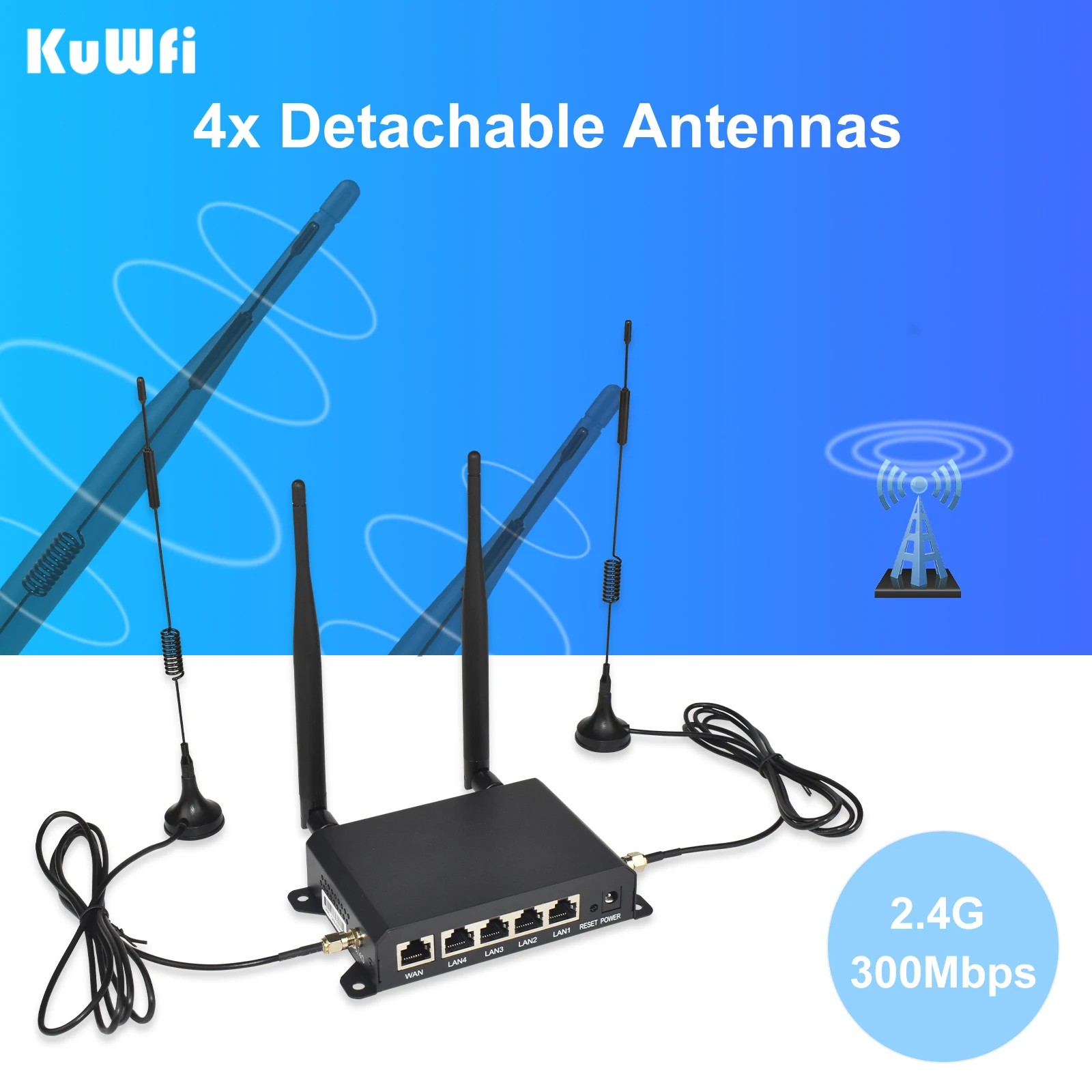
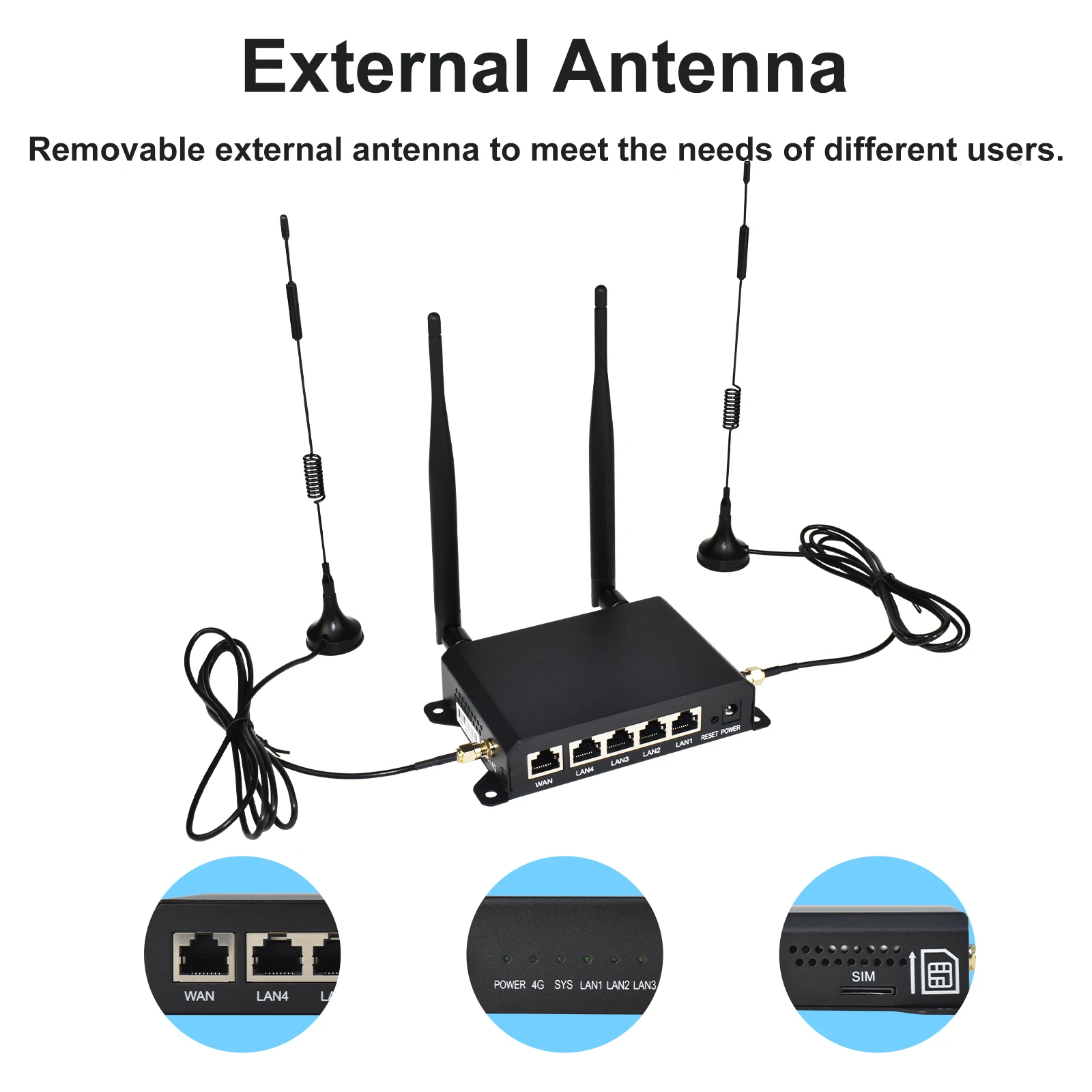
4pcs Detachable High-Gain External Antennas
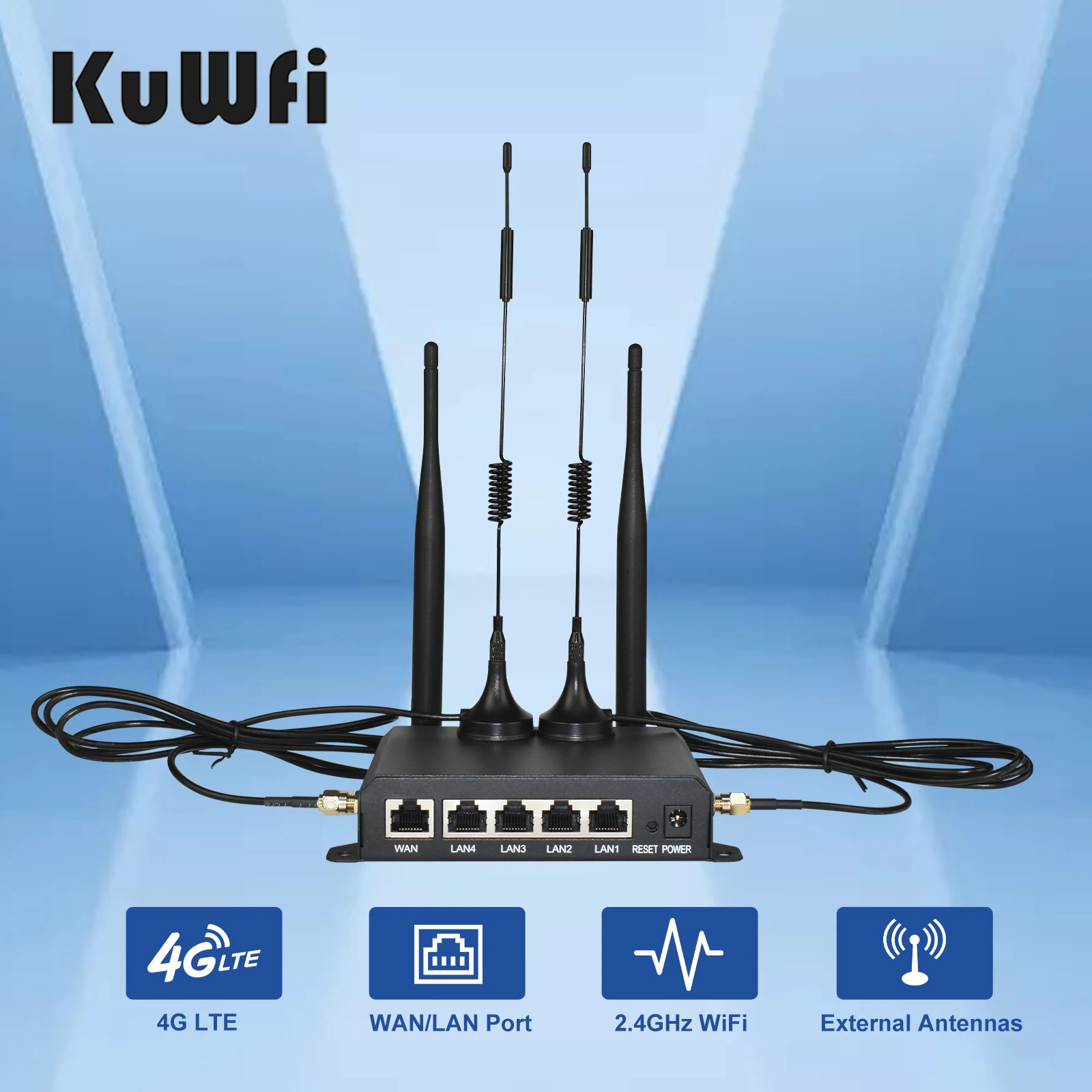
The 4G Router adopts the design of 4pcs detachable external antennas to improve the stability and coverage of signal transmission. Bring a better experience to users. The user can replace the antenna of the same type and interface, but the compatibility of the antenna cannot be guaranteed.
4G Mode / AP Mode / Repeater Mode
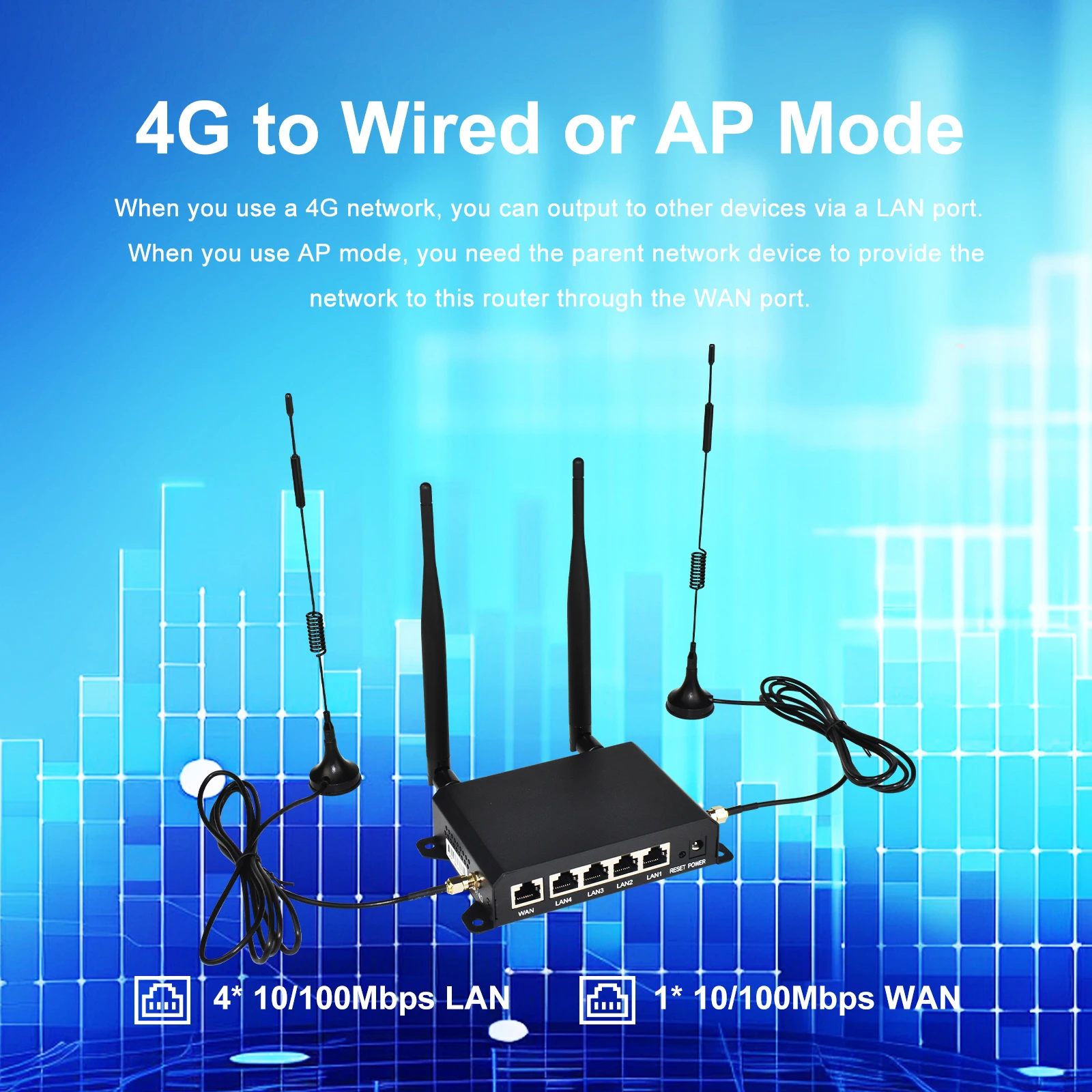
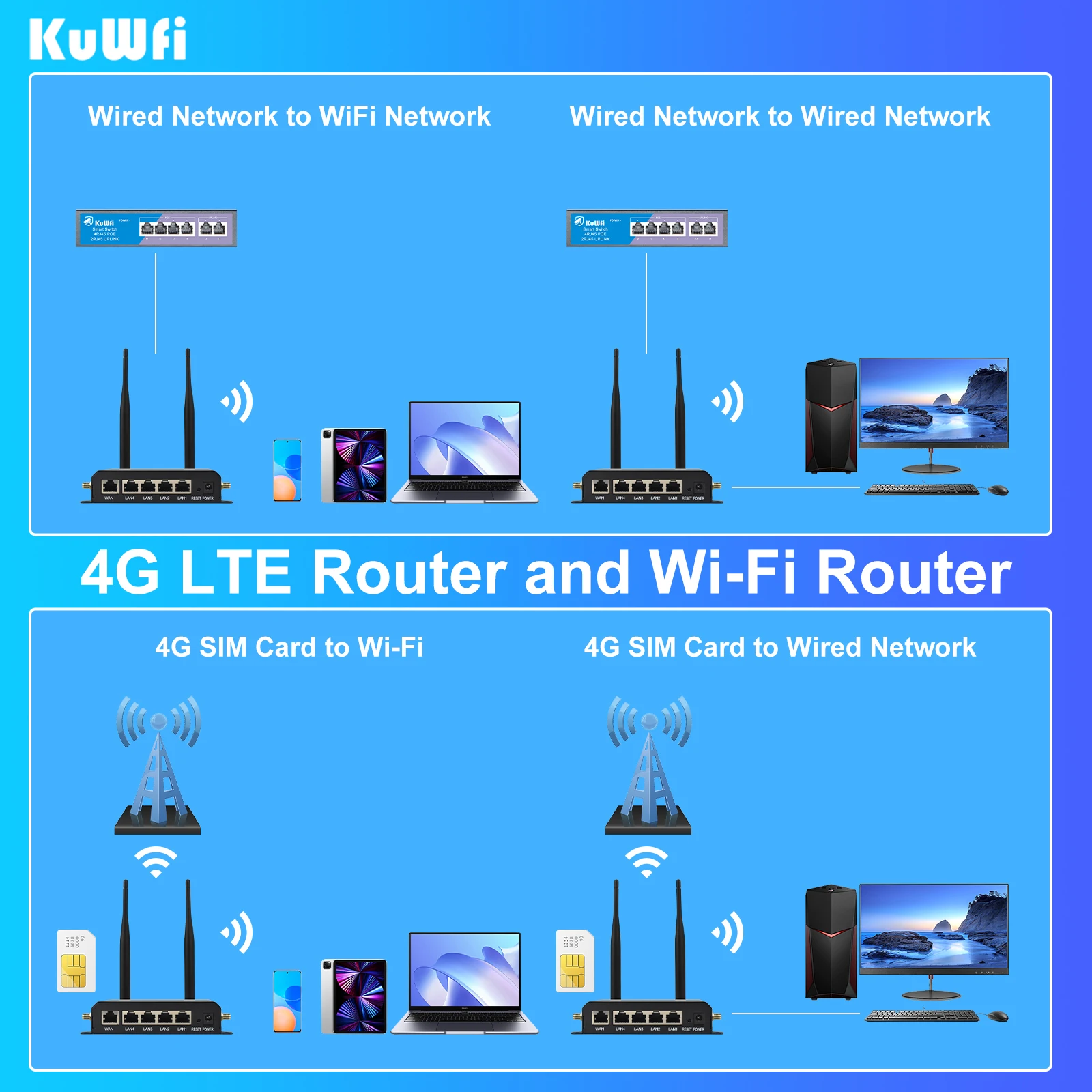
Users can use the corresponding mode of the router according to different requirements. Support users to provide network through 4G SIM Card(4G Mode). Users can use upper-layer network devices to provide Internet for the router(AP Mode). It also supports users to use repeater mode to expand the wifi signal of other routers.
Wireless / Wired Connection
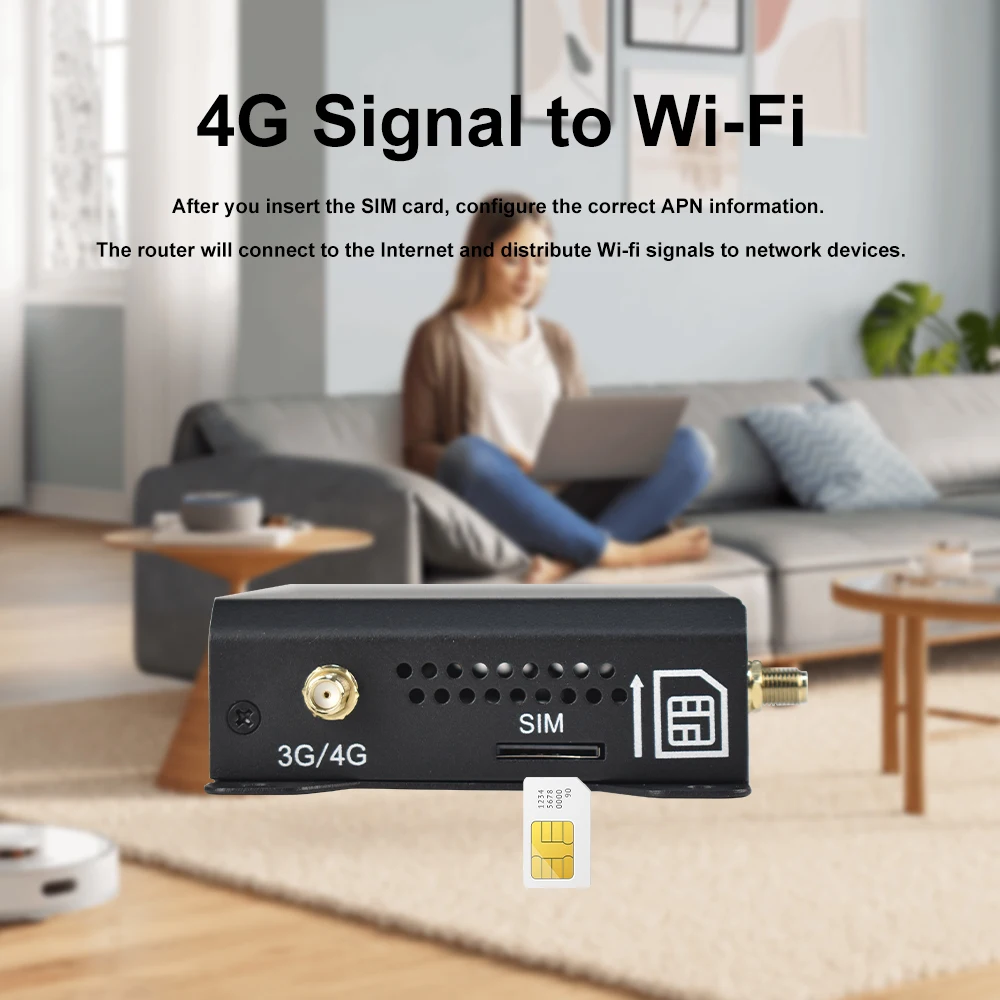
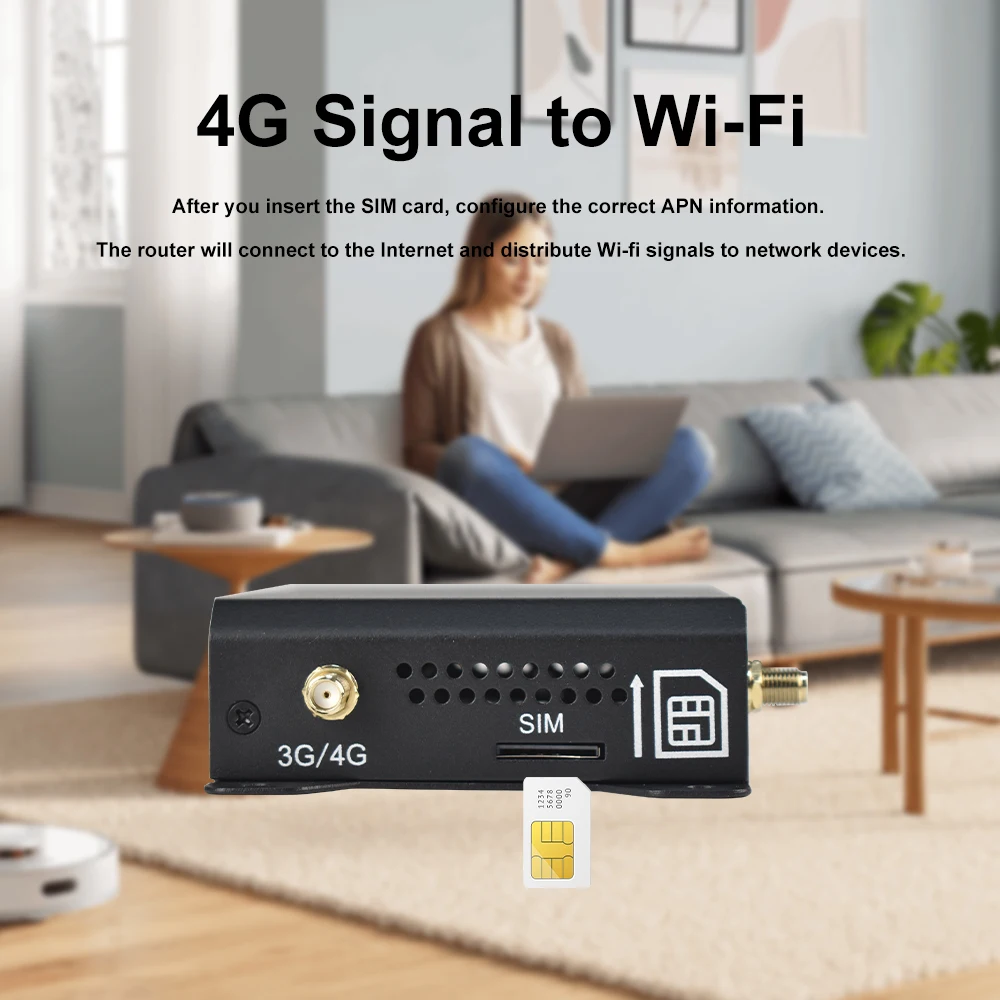
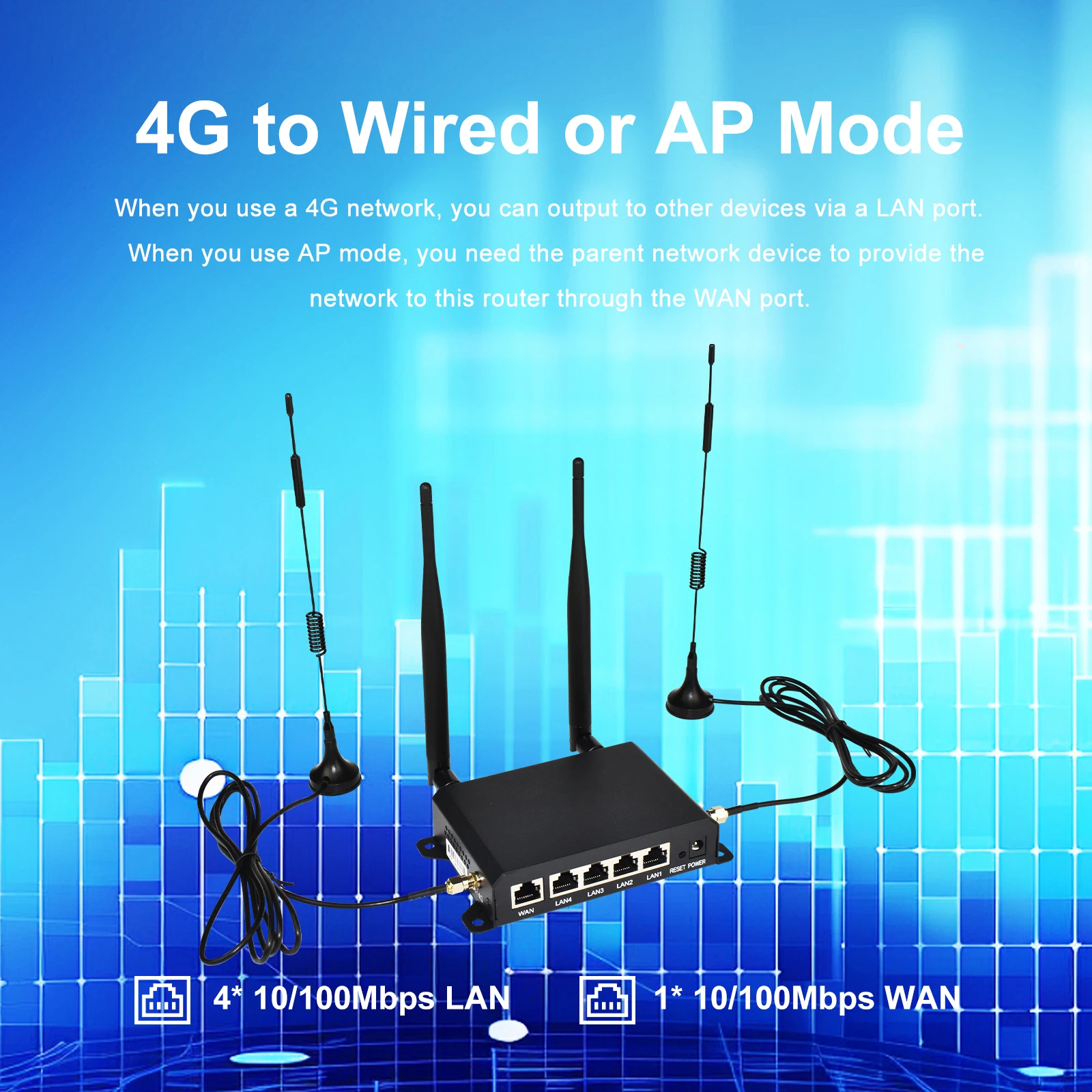
The 4G Router supports the conversion of 4G networks to Wi-fi signals and the output of 4G networks to other network devices through LAN ports.
100Mbps WAN / LAN Port
You can use the WAN port to make the router provide a Wi-Fi signal. At the same time, 4 LAN ports can be used to provide a network for other devices.
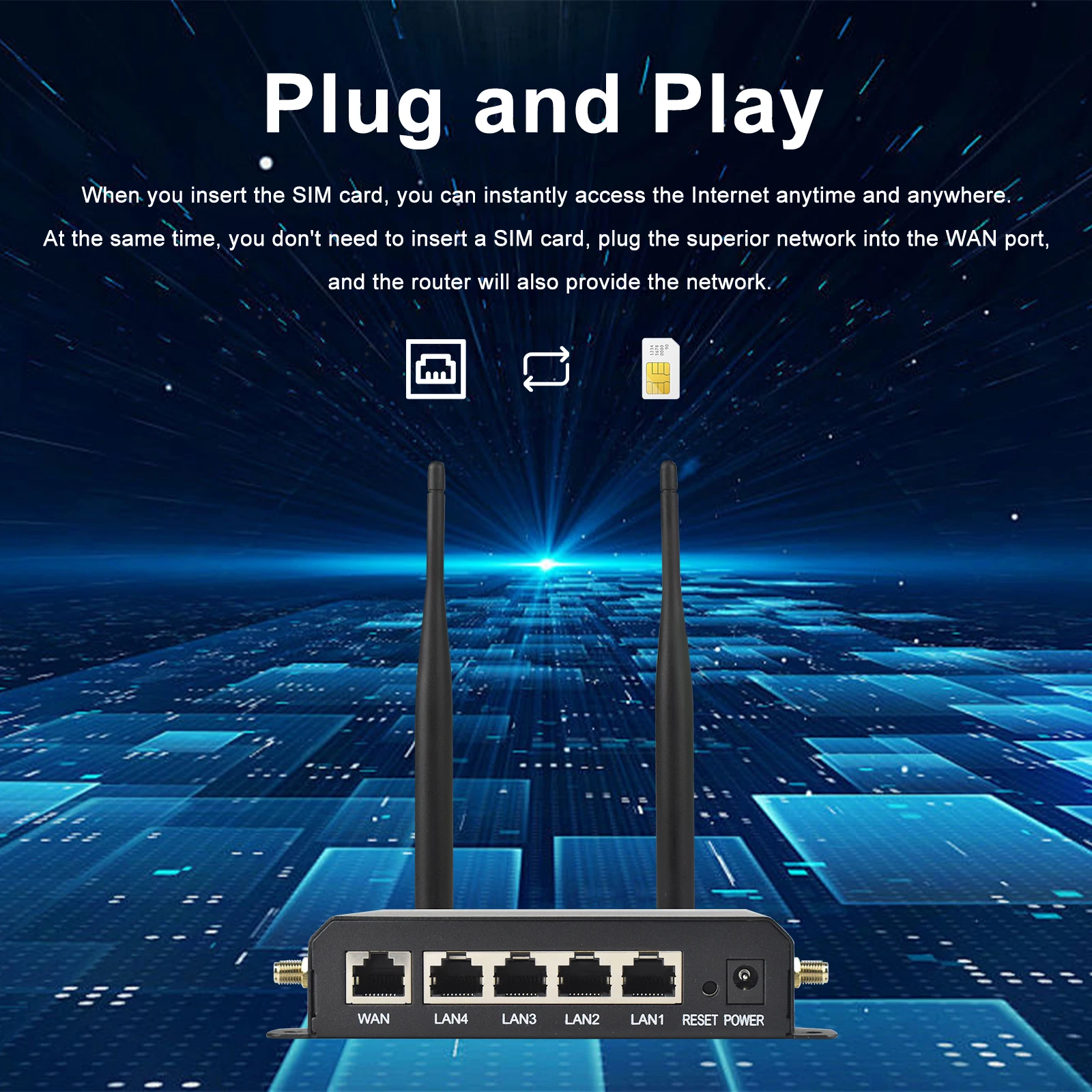
Plug and Play
When you insert the SIM card, you can instantly access the Internet anytime and anywhere. (Some SIM cards need to log in to the Web UI of the router and configure the APN information before they can access the Internet.)
Support for multiple devices
It can connect to mobile phones, televisions, cameras, computers, etc. Solve the problem that devices need a network.
Specification:
CPU Chipset: MT7628
DDR: 64MB
FLASH: 8MB
4G Data Speed: DL up to 150Mbps, UL up to 50Mbps
AP Mode 2.4G Wi-Fi Speed: Up to 300Mbps
Protocols Comply: IEEE802.11 b/g/n, IEEE802.3u
Frequency Range: 2.412 GHz ~ 2.472 GHz (Channel 1 ~13)
Wi-Fi Data Rate: MIMO 2*2 300Mbps 2.4G
Power Supply: DC 12V/1A
Ethernet Ports: 1x WAN + 4x LAN (10/100Mbps)
Reset Button: Restore factory default settings
LED Indicator: POWER, 4G, SYS, LAN1, LAN2, LAN3, LAN4, WAN
Modulation Type: OFDM/BPSK/QPSK/CCK/DQPSK/DBPSK
Working Temperature: -20~50 ℃
Package Listing:
1 x WR181 4G Wireless Router
4x External Antennas
1x DC Power Adapter
1x English User Manual








I***v –
The router was delivered without damage. Works well in Germany. I’m happy with everything.
L***d –
Works very well, if any chinese secret service is looking into what i am doing, it is there time to waste. The router connect up to the 4g network by it self, setup is fairly easy. It would have been nice if it had included a sim card adapter, but i made one from some cardboard, but a better one is needed, the seller should add it as an option, i would gladly have paid a couple of dollars for an sim card adapter kit. The router take a normal size sim card.
Customer –
Small disapointmnet that device do not have 1gbps ports. Supports just 100/10mbps lan. At these days i expected 1gbps by default. Device looks qualitatively, all basic functions what i have already tested – working good. Admin panel not perfect, but good enougth.
K***s –
Works as advertized, need to do more testing but setup was not hard. Only the manual could be in a bigger writing, it is hard to read, even with my classes on. Better would be a link witv a pdf file to diwnliad
A***o –
OK
B***r –
Solid metal housing. I have set the modem properly, but I come with low speed 13 download, 1 upload. I have the idea that 3g uses instead of 4g. This modem is not suitable for the Dutch market. You have no use for it. I would recommend it. My other Huawei modem obtains download speed 250 and 80 upload
Customer –
SK SIM card sharing fixed right away
Customer –
Very quick delivery and happy with the router.
Customer –
Arrived quickly, works perfectly, no complaints so far.
Customer –
Thank you, the envelope is perfect and everything is as in the picture.
a***e –
Hello, I recommend this router to you, it works very very well and very easy to install. You shouldn’t go search for the complications on the Internet to configure it. Just put in a blank SIM card that doesn’t have a code and it works with the gigabytes you want, it deserves five stars, if it doesn’t give up it’s a great product, I recommend it.
a***k –
very good workmanship, I recommend
Customer –
I have tested it and it worked very well.
Customer –
This is a very good equipment that works in very difficult conditions where the broadcast is far away and the signal is weak. It is perfectly kept at a high and stable level as no router before could. Very easy operation-the SIM card is inserted and the router is launched. All the best settings are automatic and you don’t have to die worry about anything I recommend absolutely.
M***i –
Everything’s fine. Works as expected
R***n –
Good 😄 🙂 🙂 🙂 🙂 🙂 🙂 🙂 🙂 🙂 🙂 🙂 🙂 🙂 🙂 🙂 🙂 🙂 🙂 🙂 🙂 🙂 🙂 🙂 🙂 🙂 🙂 🙂 🙂 🙂 🙂 🙂 🙂 🙂 🙂 🙂 🙂 🙂 🙂 🙂 🙂 🙂 🙂 🙂 🙂 🙂 🙂 🙂 🙂
B***o –
Super light, works well in settings.
M***i –
Excellent! Robots and with a very complete interface with many parameters
I***a –
The router arrived in 6 days. Automatic configuration with the computer. it’s fine and the signal is fast and excellent.
P***e –
I received it, it works very well. I installed it in the car I bought a larger antenna, but when there is no signal, it works the same as the one that came with it. However, it connects more frequently in band 7, despite the signal data appearing worse (previously nonexistent for band 7, apparently there is a priority connection for the faster band). The difference is that when it cannot connect, it switches to band 3 or band 1 at least in my city, which happens more sporadically with an external larger antenna.
O***v –
it is not visible on the network like WR181 and how is Wireless-618B5
m***r –
Works well. From mobile phone coverage, cameras, laptops, etc. It accesses the router interface well and configures easily. Good product.
A***o –
Set it up right out of the box, without connecting to a computer. All the necessary information is on the back of the router. It worked with Vodafone without any additional dancing with tambourines. The antennas greatly amplified the signal, didn’t even have to take it outside, the Wi-Fi reaches a decent distance, which was pleasantly surprising. I only regret not ordering this miracle of technology earlier.
Customer –
Manual input is required because autoAPN does not work in certain countries. When you can’t connect, check.
M***l –
A bit poor WIFI download
p***m –
Quick to connect and quick to install, good reception and strong signal, fast internet, and a nice router menu.
U***r –
Bought for the dacha, very impressed with the signal amplification. I checked on Kyivstar, SIM pair, from the phone and from the router in the same place. phone 13.1/0.23Mbps, router 30.9/23.9Mbps. This is very unexpected! Connected without any settings, just inserted the SIM card and waited for 5 minutes. I recommend!
o***r –
not all Internet cards are suitable, the signal gain is more than other routers